以 Qt Creator 預設的 GUI Appplication 為例:
zero@zero-desktop:~/dev$ tree example/
example/
|-- example.pro
|-- main.cpp
|-- mainwindow.cpp
|-- mainwindow.h
`-- mainwindow.ui
建立 CMakeLists.txt,先寫入最常用到的幾個設定:
project( example )
cmake_minimum_required(VERSION 2.6)

set( SRC main.cpp mainwindow.cpp )
set( HEADER mainwindow.h )
讓 cmake 先載入 Qt 會用到參數:
find_package( Qt4 REQUIRED )加入 Qt 函式庫位置:
include( ${QT_USE_FILE} )
add_definitions( ${QT_DEFINITIONS} )
因為 Qt 在編譯前會先透過 moc、uic 等對程式做處理,將 SIGNAL/SLOT、ui 轉成程式碼再做編譯。Cmake 透過 wrapper 做設定:
set( FORM mainwindow.ui )

qt4_wrap_cpp( HEADER_MOC ${HEADER} )
qt4_wrap_ui( FORM_HEADER ${FORM} )
如果專案中有使用到 qrc 檔,則需加入:
qt4_add_resources( RESOURCES_RCC resource.qrc )有時編譯位置與程式碼放置位置不同,編譯器會讀不到 moc 轉出來的程式碼,所以要將編譯位置加入:
include_directories( ${CMAKE_CURRENT_BINARY_DIR} )最後,編譯設定:
add_executable( exe ${SRC} ${HEADER_MOC} ${FORM_HEADER} )
target_link_libraries( exe ${QT_LIBRARIES} )
完整的 CMakeLists.txt 大致上長這樣:
project( example )
cmake_minimum_required(VERSION 2.6)
find_package( Qt4 REQUIRED )

include( ${QT_USE_FILE} )
add_definitions( ${QT_DEFINITIONS} )

set( SRC main.cpp mainwindow.cpp )
set( HEADER mainwindow.h )
set( FORM mainwindow.ui )

qt4_wrap_cpp( HEADER_MOC ${HEADER} )
qt4_wrap_ui( FORM_HEADER ${FORM} )

include_directories( ${CMAKE_CURRENT_BINARY_DIR} )

add_executable( exe ${SRC} ${HEADER_MOC} ${FORM_HEADER} )
target_link_libraries( exe ${QT_LIBRARIES} )
建立 Makefile:
zero@zero-desktop:~/dev/example$ mkdir build
zero@zero-desktop:~/dev/example$ cd build/
zero@zero-desktop:~/dev/example/build$ cmake ..
-- The C compiler identification is GNU
-- The CXX compiler identification is GNU
-- Check for working C compiler: /usr/bin/gcc
-- Check for working C compiler: /usr/bin/gcc -- works
-- Detecting C compiler ABI info
-- Detecting C compiler ABI info - done
-- Check for working CXX compiler: /usr/bin/c++
-- Check for working CXX compiler: /usr/bin/c++ -- works
-- Detecting CXX compiler ABI info
-- Detecting CXX compiler ABI info - done
-- Looking for Q_WS_X11
-- Looking for Q_WS_X11 - found
-- Looking for Q_WS_WIN
-- Looking for Q_WS_WIN - not found.
-- Looking for Q_WS_QWS
-- Looking for Q_WS_QWS - not found.
-- Looking for Q_WS_MAC
-- Looking for Q_WS_MAC - not found.
-- Found Qt-Version 4.6.2 (using /usr/bin/qmake)
-- Looking for _POSIX_TIMERS
-- Looking for _POSIX_TIMERS - found
-- Configuring done
-- Generating done
-- Build files have been written to: /home/zero/dev/example/build
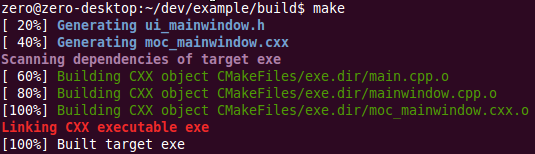
沒有錯誤訊息的話,目錄下應該就會有 Makefile 了,接下來 make 吧!

Reference:
Using CMake to Build Qt Projects | Qt Developer Network
http://qt-project.org/quarterly/view/using_cmake_to_build_qt_projects
「 」: CMake to QMake note
https://b2.zeroplex.tw/2009/12/cmake-to-qmake-note.html